
Medical device results to the hospital system. Without retyping.
RightScan captures results from medical devices, from a photo of the printout or screen or over Bluetooth, and sends them to the hospital system after a staff member approves them. Everything stays on the hospital network, with no cloud.
- On-premises, no cloud
- Staff approve every result
- HL7 v2.3
The result exists. It doesn't always reach the system.
Results from bedside devices often stay on a printout or a screen, and someone has to type them in by hand. RightScan replaces retyping with capture, review and approval.
Many devices, many formats
Different models, screens and printouts, with no unified interface between them.
Manual transcription
Copying results by hand takes time and adds one more step where mistakes can happen.
A gap between device and system
A result shown on a device screen doesn't always become a digital record in the hospital.
Five steps, with a person approving before anything is sent
From the device to the LIS, every result goes through a staff member who checks it against the source.
- 01
Choose a device
On a tablet, phone or computer.
- 02
Capture
Take a photo, upload a file (PDF, PNG, JPG, TIFF, HEIC) or connect over Bluetooth.
- 03
The system reads
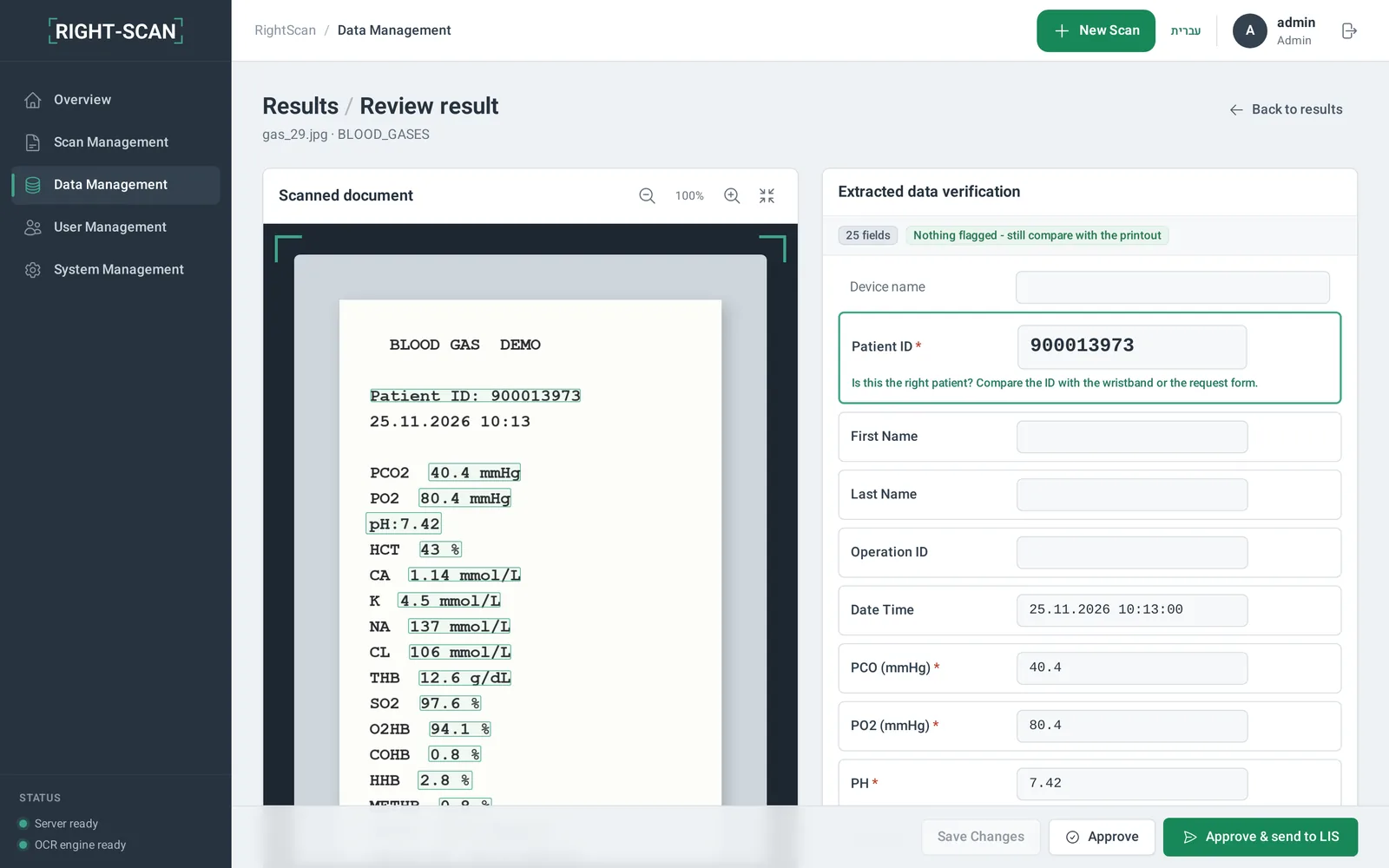
Local OCR reads the values using the device's template. A number whose decimal places don't match the template isn't accepted, and the field is left for manual review.
- 04
Staff review and approve
Against the original image, including the patient ID.
Human step - 05
The result is sent
To the LIS over HL7 v2.3. If the LIS is unavailable, the system retries automatically.
A look at the product
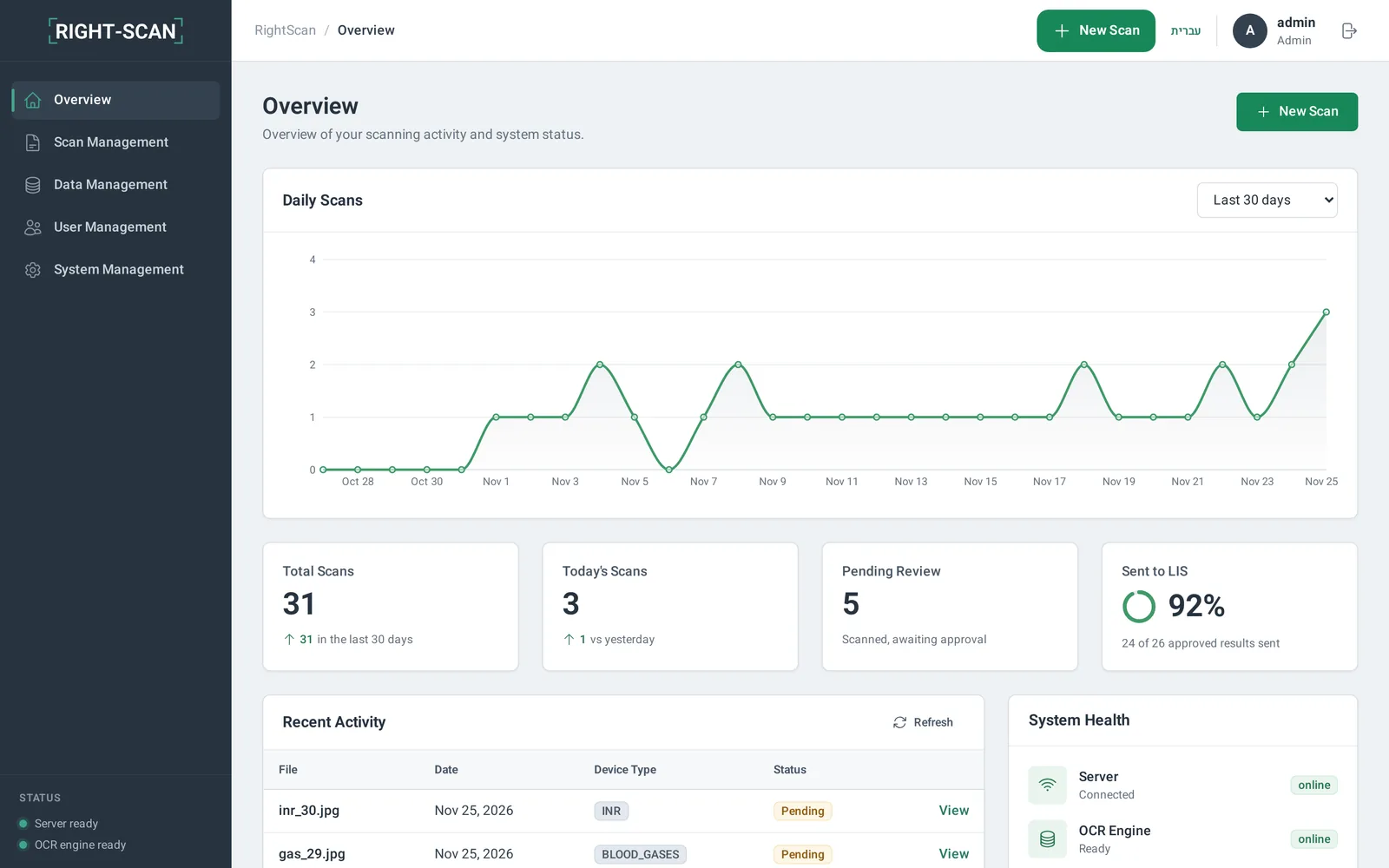
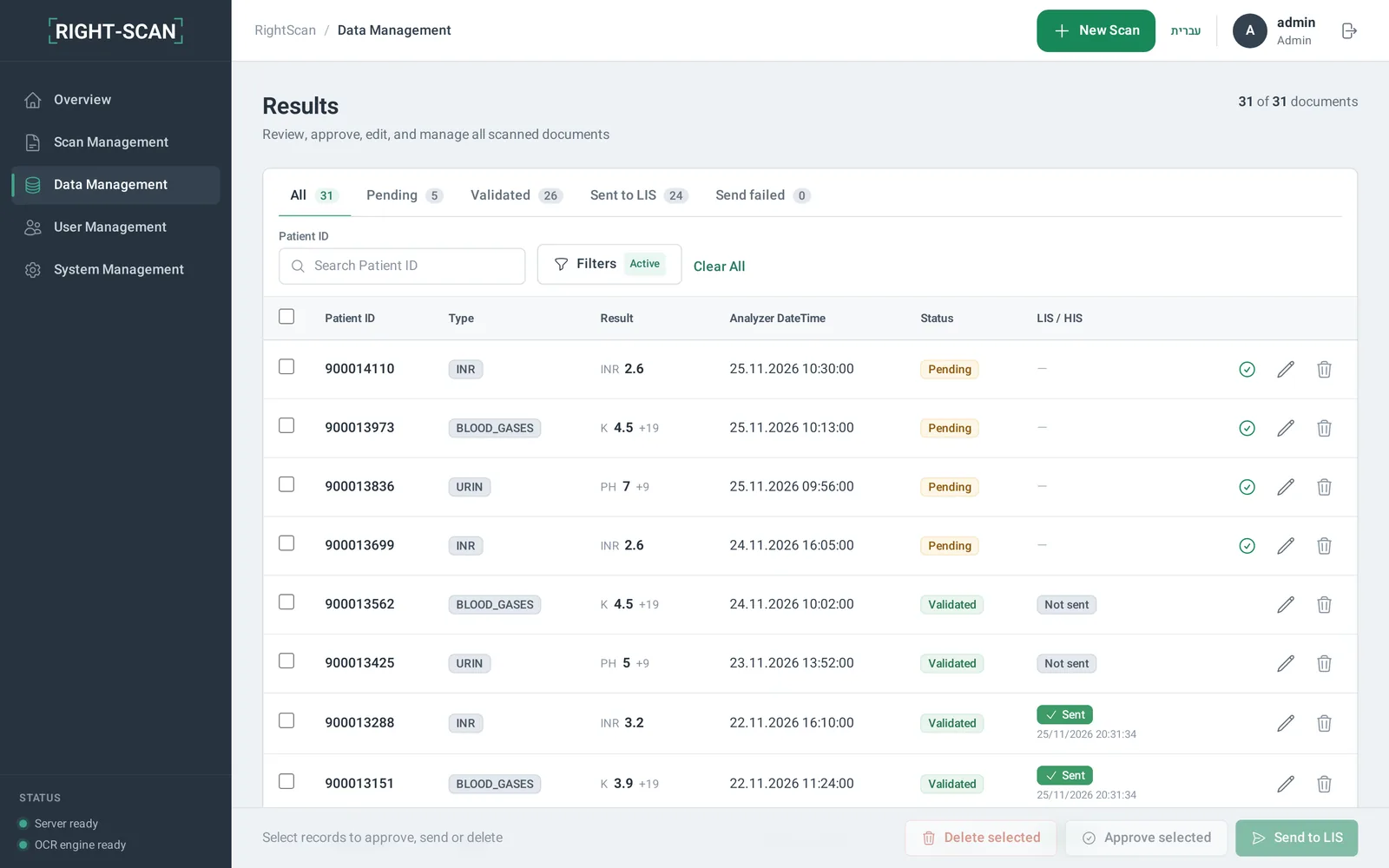
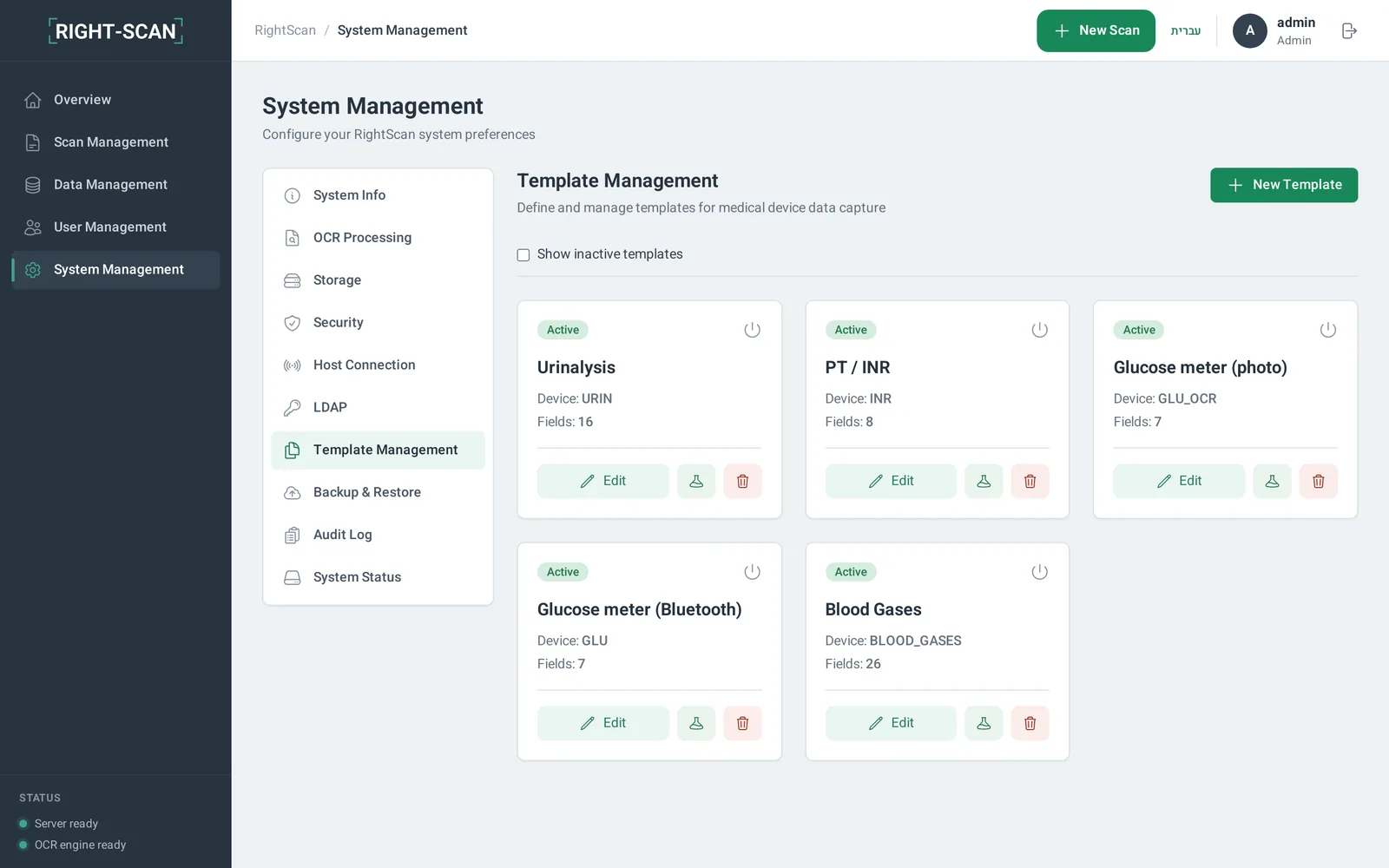
One interface for capture, review, approval and template management.
Works at the bedside
Choose a device and capture from a tablet, including over Bluetooth. Review and approval also work on a phone. Everything runs in the browser.
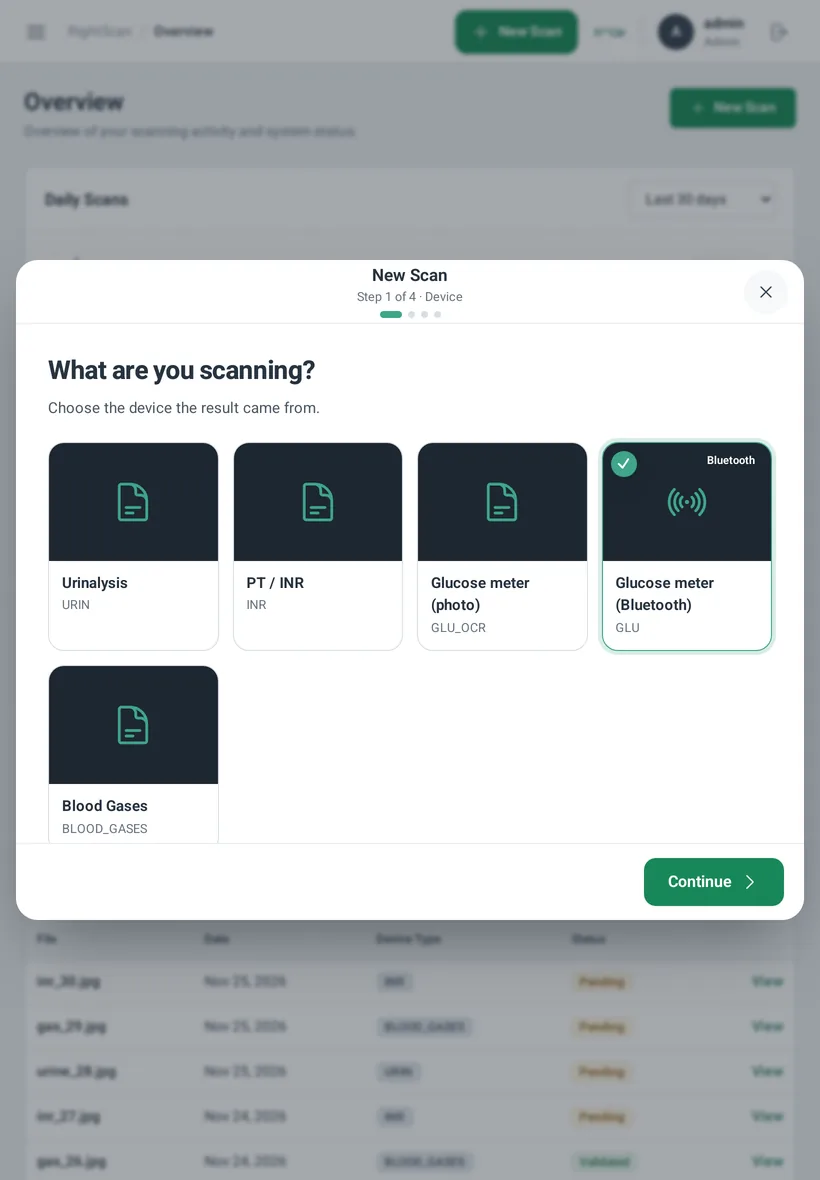
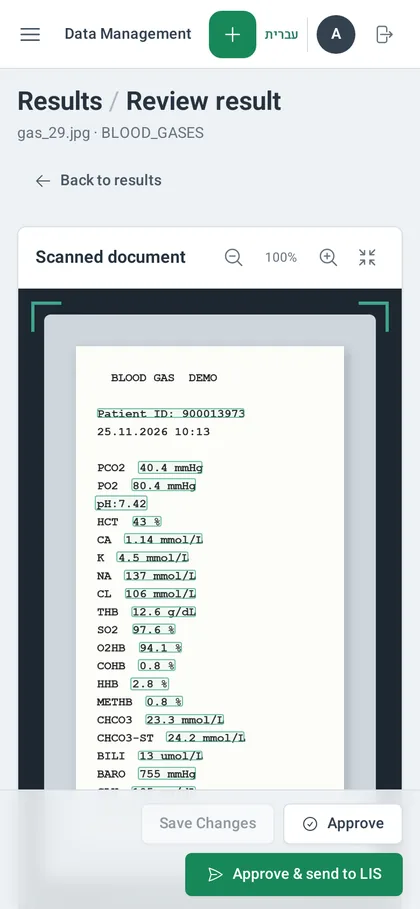
Screenshots are from the system. All data and printouts shown are for demonstration only.
One template per device, not infrastructure per model
Each device is configured with a template: which values to read and in what format. Templates can be set up for additional devices.
Existing templates
- Blood gases
- Urinalysis
- PT/INR
- Glucose meter (photo or Bluetooth)
Bluetooth
Support for standard GATT profiles.
Capture methods
- Photo of a printout or screen
- File upload: PDF, PNG, JPG, TIFF, HEIC
- Bluetooth
Data stays inside the hospital
One installation per hospital, on a local server. The system works without internet access and without the cloud.
On-premises installation
On a server inside the hospital network, with no internet connection required.
Role-based permissions
Administrator, editor and view-only roles. Optional network sign-in via LDAP / Active Directory.
Audit log
Records viewing, editing (old and new value), approval, sending and deletion.
Backup and restore
With an option to encrypt backups.
Sign-in protection
HTTPS, automatic sign-out after inactivity and lockout after failed sign-in attempts.
Runs in the browser
Interface in Hebrew and English.
Connects to the LIS over HL7
Approved results are sent as HL7 messages, so there is no need for a separate interface for every device.
For the teams results pass through
- Hospital management
- IT and information systems
- Point-of-care testing (POCT) leads
- Laboratories
- Nursing staff

Want to see RightScan in action?
We'd be glad to set up a demo and look at how the system fits your devices and workflows.
Book a demoOr write to us: CONTACT_EMAIL